

Overview
A slice is a domain of your life: an apartment hunt, your health, a side project, your finances. Each slice is backed by a memory topic page and watched by a standing agent. The agent runs on a schedule, keeps the page up to date, and raises at most one ask when something actually needs your judgment. Home is the desktop app’s landing surface. It has a composer, the focus set (each slice’s current ask, gathered into one list), and a strip of your slices.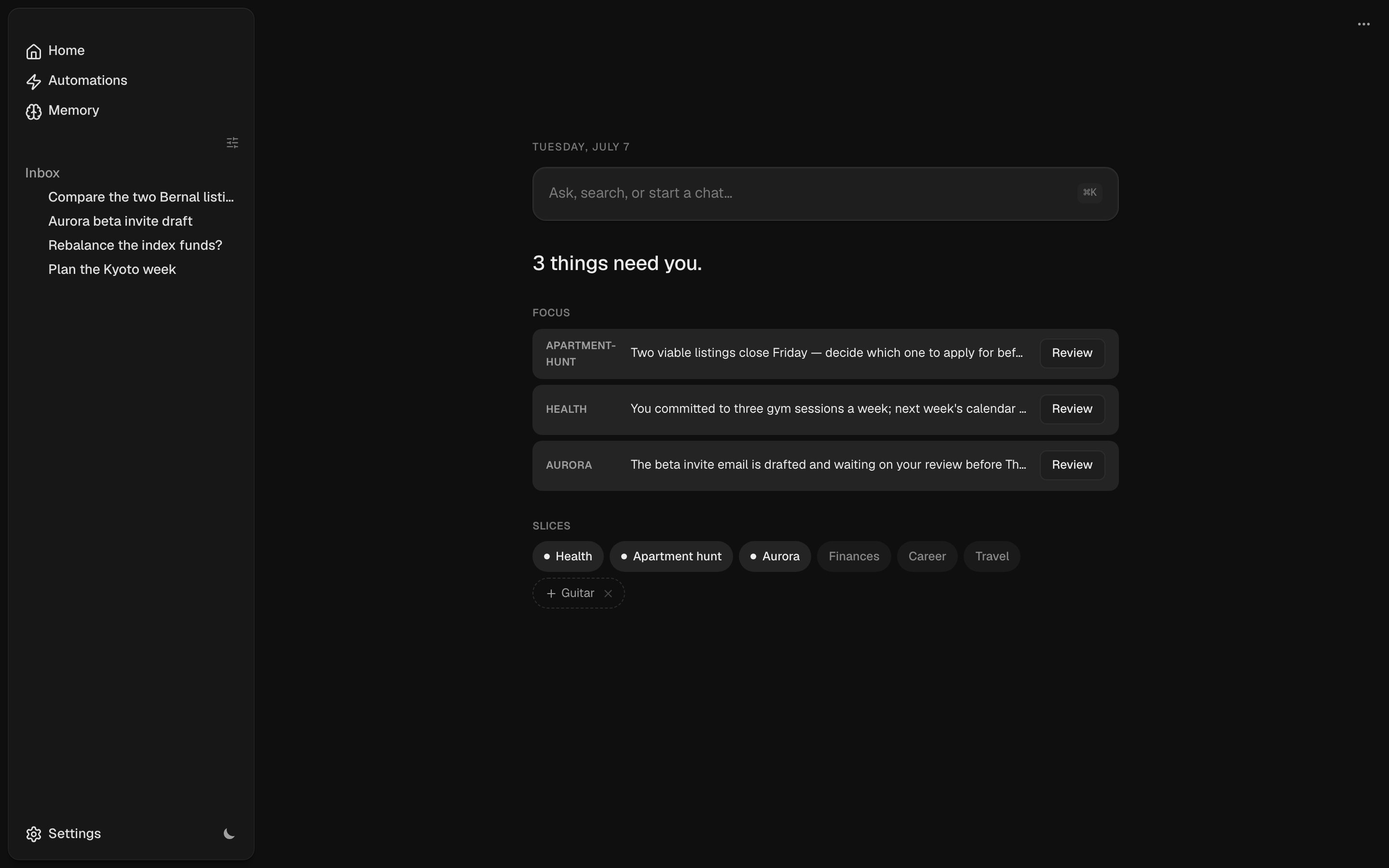
Where slices come from
You don’t register slices by hand. A daily suggester reads the unpromoted topic pages in your memory, finds the ones that look like real life domains (an ongoing thing with personal stakes, not a reference note), and offers them on Home as ghost chips. Accept one and ntrp sets up the rest: the topic page becomes a slice with a standing agent, a channel, and a room. Dismiss one and it won’t be suggested again. You can also promote a page yourself from the slices strip, or just ask in chat.Slice rooms
Open a slice to get its room: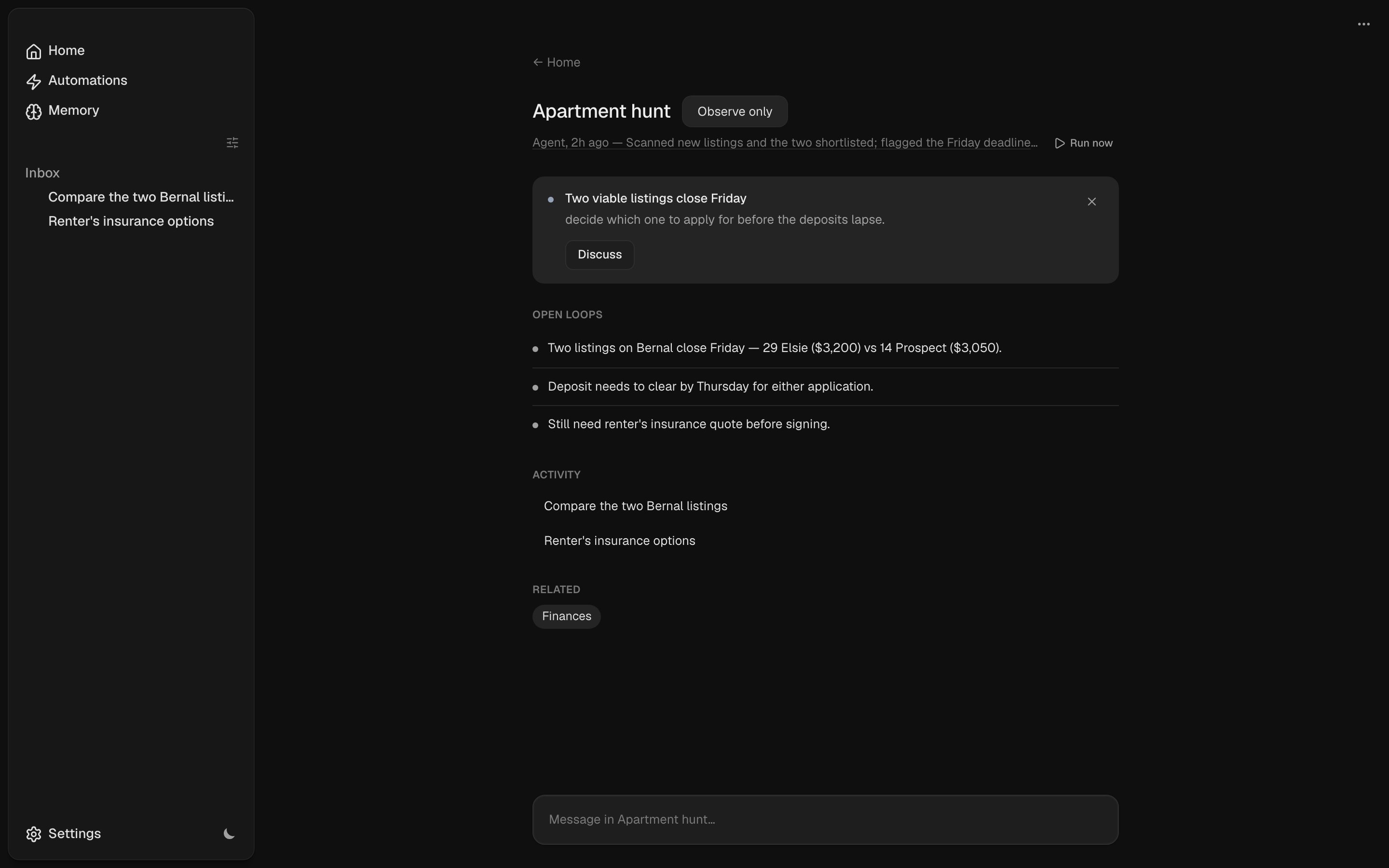
- The one ask, if there is one, with a Discuss button that opens a chat scoped to it.
- Open loops: the unresolved threads the agent parses from the page’s
## Open loopssection. - The agent’s status: whether it’s running now, a summary of its last run, or that it hasn’t run yet. That line opens the agent’s channel transcript, with a Run now button next to it.
- Related slices, from the page’s wikilinks.
- Activity: your own chats scoped to this slice.
- A composer. A chat you start here carries the slice’s topic page as context, so the agent already knows the domain.
The standing agent
A slice agent is a normal automation. You’ll find it in the Automations panel under Slice agents, and you can edit, pause, reschedule, or run it like any other. What makes it a slice agent is data on the automation, not a separate code path:- It runs as a channel automation, so a durable session owns its runs and the full transcript is visible and replyable in the room.
- Its tool scope is an observe-only allowlist: read plus its own memory-page writes, nothing that acts on the outside world. See tool scoping.
- Its output schema makes each run return a validated one-ask nomination (
ask, or none) instead of free-form text. See structured output.
Observe vs act
Slice agents run in observe mode by default: they read anything and update their own page, but take no external action. Act mode lets an agent run the slice’s own automations and workflows; irreversible actions still require approval. Toggle it from the slice room.How this relates to memory and automations
Slices sit on top of two systems that already exist:- Memory is the substrate. A slice is a topic page, and the agent’s edits are ordinary memory writes. The Memory view shows the same pages the slices read from.
- Automations is the engine. Slice agents are seeded automations with a tool scope and an output schema. There’s nothing special-cased about them.